
How to Use Deco My Tree in 2026: A Free Christmas Tree Your Friends Decorate
A 2026 walkthrough of Deco My Tree: create a free online Christmas tree, share one link, collect ornament wishes from friends, and open every sealed message on December 25.

Every December the same problem shows up: you want to do something warm for the people around you, but a group chat full of emoji is not it. Deco My Tree answers that with one link. You create a free online Christmas tree, your friends hang ornaments that carry personal wishes, and every message stays sealed until December 25, 2026 — a Friday this year.
This guide covers the whole 2026 flow: making the tree, sharing it, what your friends actually see, and what happens when the wishes finally open.

What Deco My Tree is
Deco My Tree is a free online Christmas tree that your friends decorate for you. You plant the tree, share its link, and anyone who visits can hang an ornament with a wish written for you. The art is hand-drawn: 8 tree styles, 6 toppers and 20 ornaments, from a red bauble to a rocking horse.
There is nothing to install. Deco My Tree runs in any browser on a phone, tablet or laptop, and each tree gets its own address, something like decomytree.net/t/k7Qm2x.
Before you start
Three things are worth knowing before you make a tree in 2026:
- You need an account to save a tree. Sign in with an available social account, or a phone number and password. You stay signed in on the device, so later edits are quick.
- One tree per account each year. Most people simply redecorate the tree they already have instead of starting a second one.
- Friends sign in once to send a wish. That is how a wish stays attached to a real person, and how anonymous wishes still reach you safely.
Step 1: Create your tree
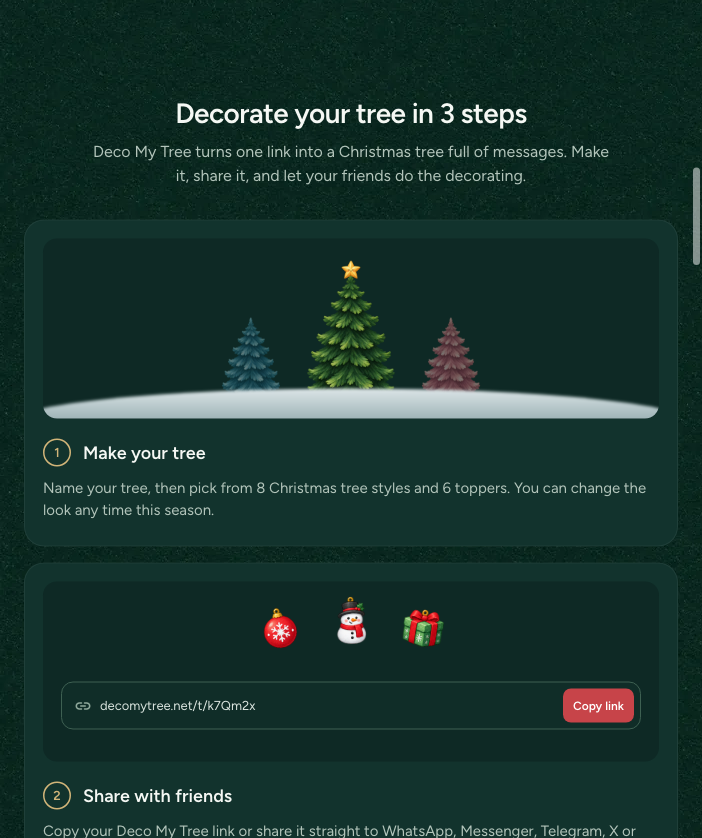
Open Deco My Tree and choose Create my tree. Give it a name — "Team Tree 2026", "For Mom", or your family's group-chat joke — then pick one of 8 tree styles and one of 6 toppers. The look is not locked: you can change style, topper or name any time this season, and the wishes already on the tree stay exactly where they are.
Step 2: Share one link
Each tree has a single link. Copy it, or share straight to WhatsApp, Messenger, Telegram, X or Threads. Post it in the group chat, a story, or a direct message — anyone with the link can visit and hang a wish. Because nothing needs an app, the barrier stays low: a friend can decorate your tree in about a minute.
Step 3: Friends leave their wishes
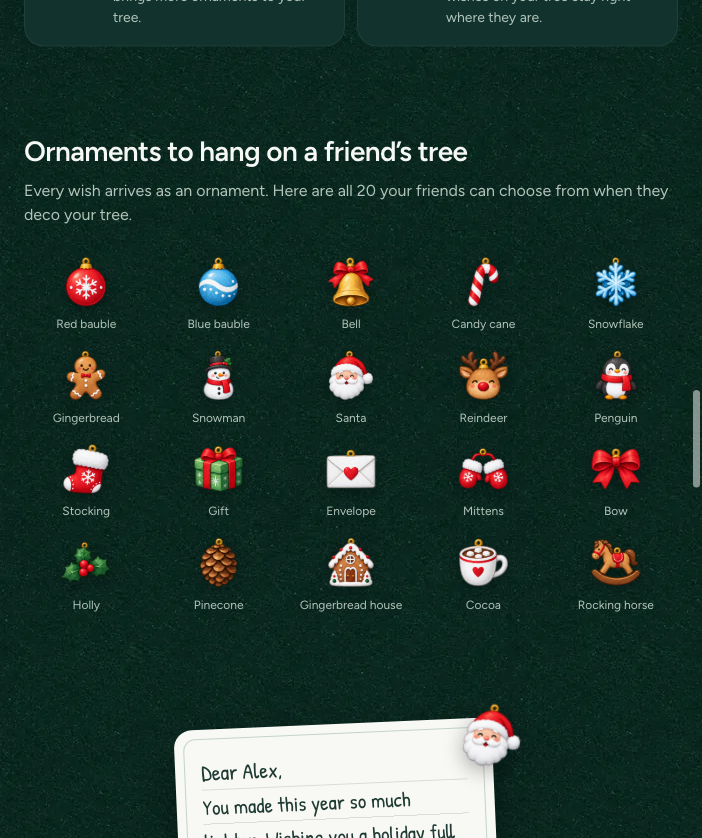
When a friend opens your link, they choose one of 20 ornaments — bell, candy cane, snowman, reindeer, gingerbread house, cocoa, and more — write a wish, and hang it on your tree. Each wish arrives as an ornament, so the tree visibly fills up as December goes on.
Wishes stay sealed until December 25. Before that you can see who sent one and which ornament they picked, but the message itself stays closed — a small Advent ritual of its own.
What happens on December 25, 2026
Christmas Day is opening day. Every wish on your tree unlocks, and you can read the whole season at once, like unwrapping a pile of small presents.
A few details matter:
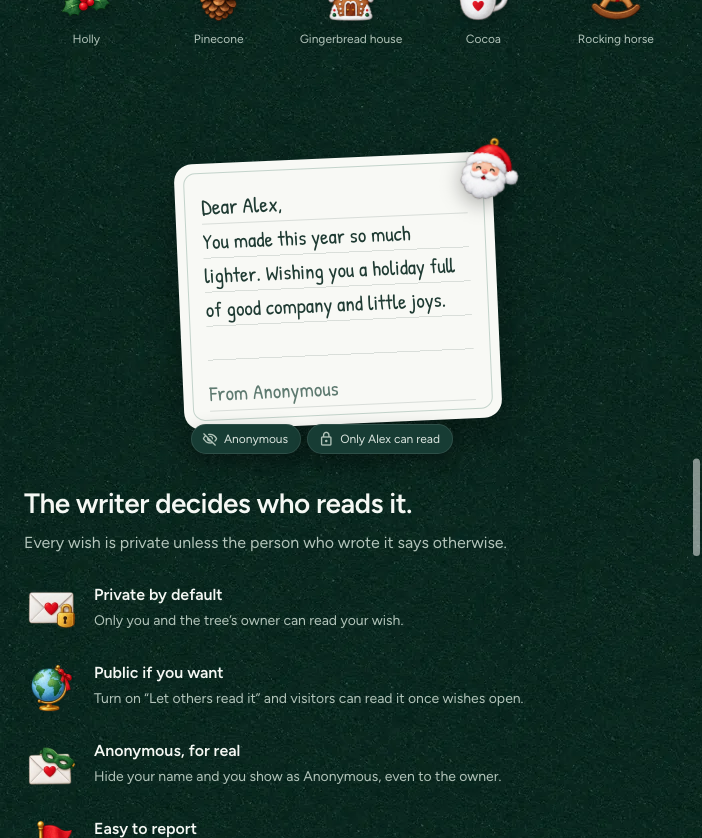
- The person who wrote a wish can read it at any time.
- You, as the tree owner, can read every wish from December 25.
- If a friend turns on Let others read it, visitors can read that wish once wishes open.
- If a friend turns on Hide my name, they show as Anonymous, even to you.
- Unkind wishes can be reported from the wish itself, and each report is reviewed.
Tips to fill the tree before Christmas 2026
- Share in early December. A tree shared on the 20th collects three wishes; one shared on the 1st collects twenty.
- Give the link context. "Hang a wish on my tree — I will read them on the 25th" beats a bare URL in a group chat.
- Use it across distances. Family abroad, classmates, a distributed team: everyone can decorate from wherever they are.
- Let the tree grow. When the branches fill up, Deco My Tree adds another page of 12 ornaments, so no friend is left out.
- Keep accepting until January 1. Friends can keep hanging wishes until Jan 1, 2027, and you can stop accepting earlier in Tree settings.
A note on privacy
Private is the default: only you and the tree owner can read a wish. Friends can opt into a public wish, hide their name, or report something unkind. It is a short feature list, but it is the reason a tree full of group-chat messages still feels safe to open on Christmas morning.
FAQ
Is Deco My Tree free? Yes. Creating a tree, sharing it, and hanging wishes are free.
Do friends need an app? No. They open the link in any browser, pick an ornament, and write a wish. They sign in once so the wish can be sent.
When can I read my wishes? On December 25. Before that every wish stays sealed.
Who can read a wish? The writer always; the tree owner from December 25; other visitors only if the writer allows it.
Can I make more than one tree? One tree per account each year. You can change its look whenever you like.
How long can friends hang wishes? Until January 1, 2027. You can close the tree earlier in Tree settings.
Start your 2026 tree
December 25, 2026 is a Friday, which leaves four weeks of sealed wishes to collect before the tree opens. Make your tree, drop the link into the chats that matter, and open it on Christmas morning.