
How to Delete a Wish or Change Who Can Read It in Deco My Tree
Learn how to remove a wish, send a corrected message, change a wish between public and private, and delete an ornament from your own tree.
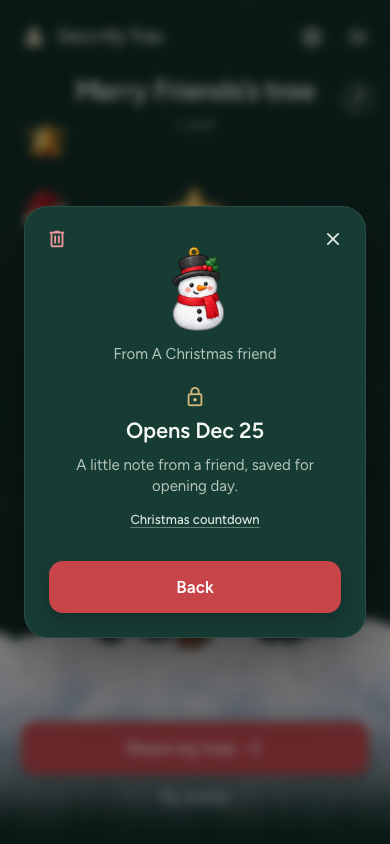
Sent the wrong words? Delete the old wish and send a new one. Chose the wrong privacy setting? Change who can read it without writing it again.
Before you start
To manage a wish you sent, sign in with the same account you used to send it. Open your friend's tree and tap your ornament.
A wish sent as a guest does not show these account controls. If the buttons are missing, check that you are signed in to the right account.
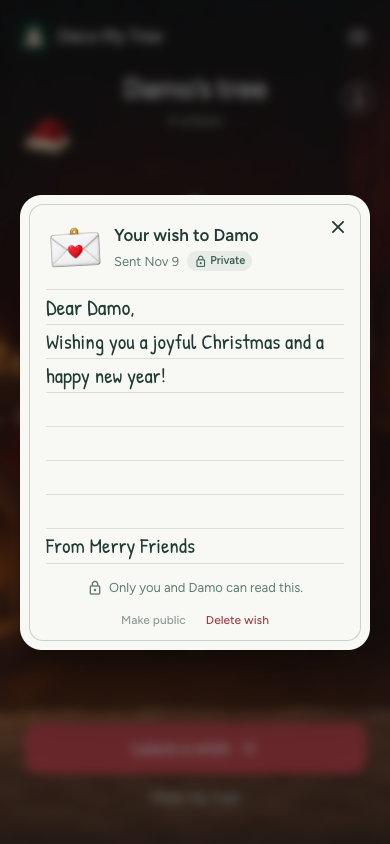
Delete your wish and send a new message
- Open the tree where you left the wish.
- Tap your ornament to open your message.
- Tap Delete wish.
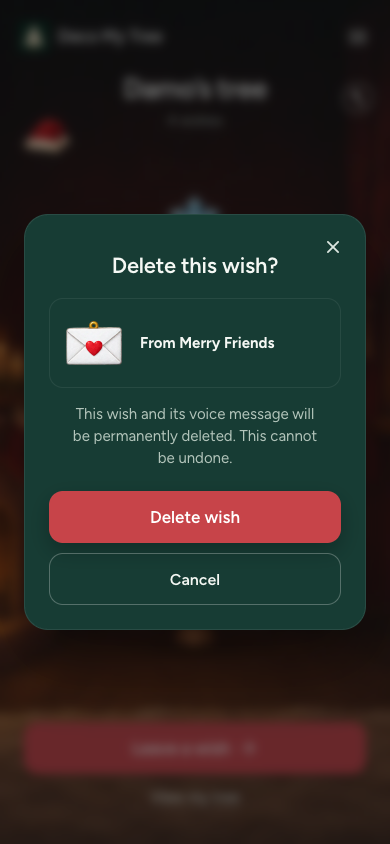
- Check the name and ornament in the confirmation. Tap Delete wish again to remove it.
- Back on the tree, tap Leave a wish. Write the correct message, choose an ornament, check the preview, and send it.
Deleting removes the old message, its ornament and any voice message. It cannot be undone. If you want to keep any of the words, copy them before deleting.
Change who can read your wish
- Sign in and open your own wish on the tree.
- To let other visitors read it after wishes open, tap Make public.
- To keep it between you and the tree owner, tap Make private.
- Check the Public or Private label on the wish.
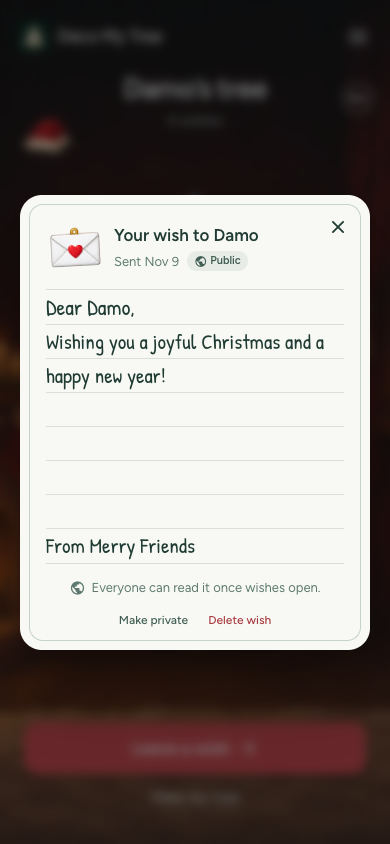
You do not need to delete or resend the wish to change this setting. Changing it does not bring the opening day forward: the tree owner opens wishes on December 25.
Remove an ornament from your own tree
As the tree owner, you can delete a wish from your tree, even before December 25.
- Sign in and open your own tree.
- Tap the ornament you want to remove.
- Tap the trash can icon. Its label is Delete wish.
- Check that it is the right wish. Tap Delete wish to remove it, or Cancel to keep it.
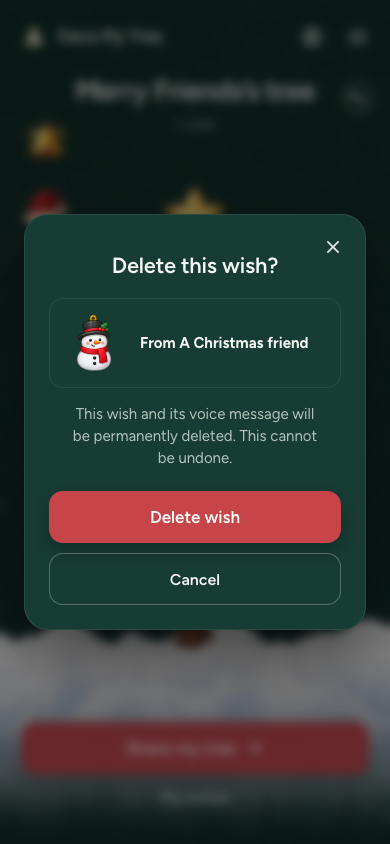
This removes that wish and its ornament. It does not delete your tree or the other wishes.
Which option should you use?
- Wrong message: delete your wish, then send a new one.
- Wrong privacy setting: use Make public or Make private.
- An ornament you do not want on your tree: open it as the tree owner and delete the wish.