
Sent the Wrong Wish on Deco My Tree? How to Delete or Fix a Message (Q&A)
Typo, wrong privacy setting or wrong tree? Delete and resend a wish with the same account, switch public/private without resending, and what to do if you sent it as a guest.
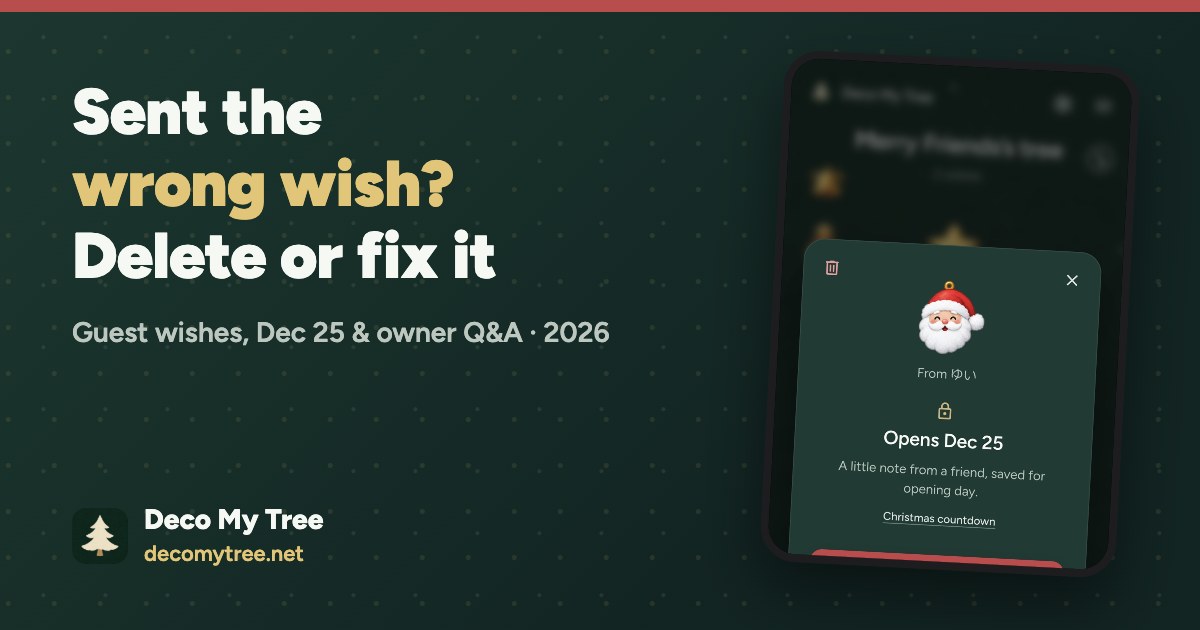
Sent a wish with a typo, the wrong privacy setting, or to the wrong tree? On Deco My Tree you can delete a wish you sent and send a new one, as long as you sign in with the same account you used to send it. If only the privacy setting is wrong, you can switch it without deleting anything. Wishes sent as a guest, and wishes after December 25, work a little differently.
This guide sorts the most common "I need to fix my message" situations. If you just want the button-by-button steps, see how to delete a wish or change who can read it.
Quick answer: what do you want to do?
| What you want | How | Resend needed? |
|---|---|---|
| Fix a typo or change the words | Delete your wish and write it again | Yes |
| Stop showing it to everyone (or show it) | Open your wish and tap Make private / Make public | No |
| Hide your name | Delete it and resend with the hide-name option ticked | Yes |
| You sent it to the wrong tree | Delete it there, then send from the right link | Yes |
| You sent the same wish twice | Delete one of them | No |
| You sent it as a guest | Ask the tree owner to delete it | If you want |
| Remove an ornament from your own tree | Use the trash icon as the owner | — |
There is no "edit text" button, so changing the words always means deleting and sending again.
The basic way to delete and fix a wish
- Sign in with the same account you used to send it (LINE, Google, or phone number).
- Open your friend's tree link and tap your ornament.
- Tap Delete wish, then tap Delete wish again to confirm.
- Back on the tree, tap Leave a wish and send the corrected message.
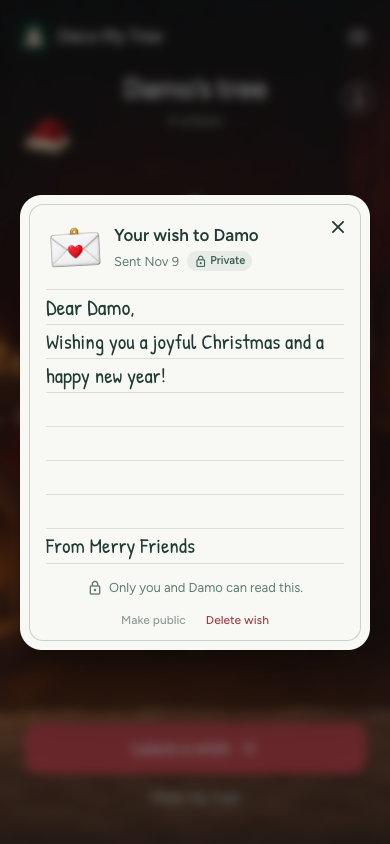
Deleting removes the text, the ornament and any voice message together, and it cannot be undone. Copy any words you want to keep first.
If you cannot find the buttons, the usual reason is that you are signed in with a different account. A wish sent with LINE does not show up as yours when you are signed in with Google.
You sent it as a guest
Friends can leave a wish on Deco My Tree without signing up, as a guest. A wish sent that way does not show the account controls, so you cannot delete it yourself.
What you can do is ask the tree owner to delete it. Owners can remove any ornament on their own tree, even before December 25. A short message like this works well:
Oops — I just left a wish on your tree with a mistake in it. Could you delete the Santa ornament from "(your name)"? I'll send a fixed one.
Telling them your name and which ornament you picked saves them guessing. When you resend, sign in first, so you can delete it yourself next time.
Before December 25, nobody has read it yet
Tree owners can read wishes from December 25. Until then, the owner's list of wishes shows a lock next to each one and says "You can read them on Dec 25."
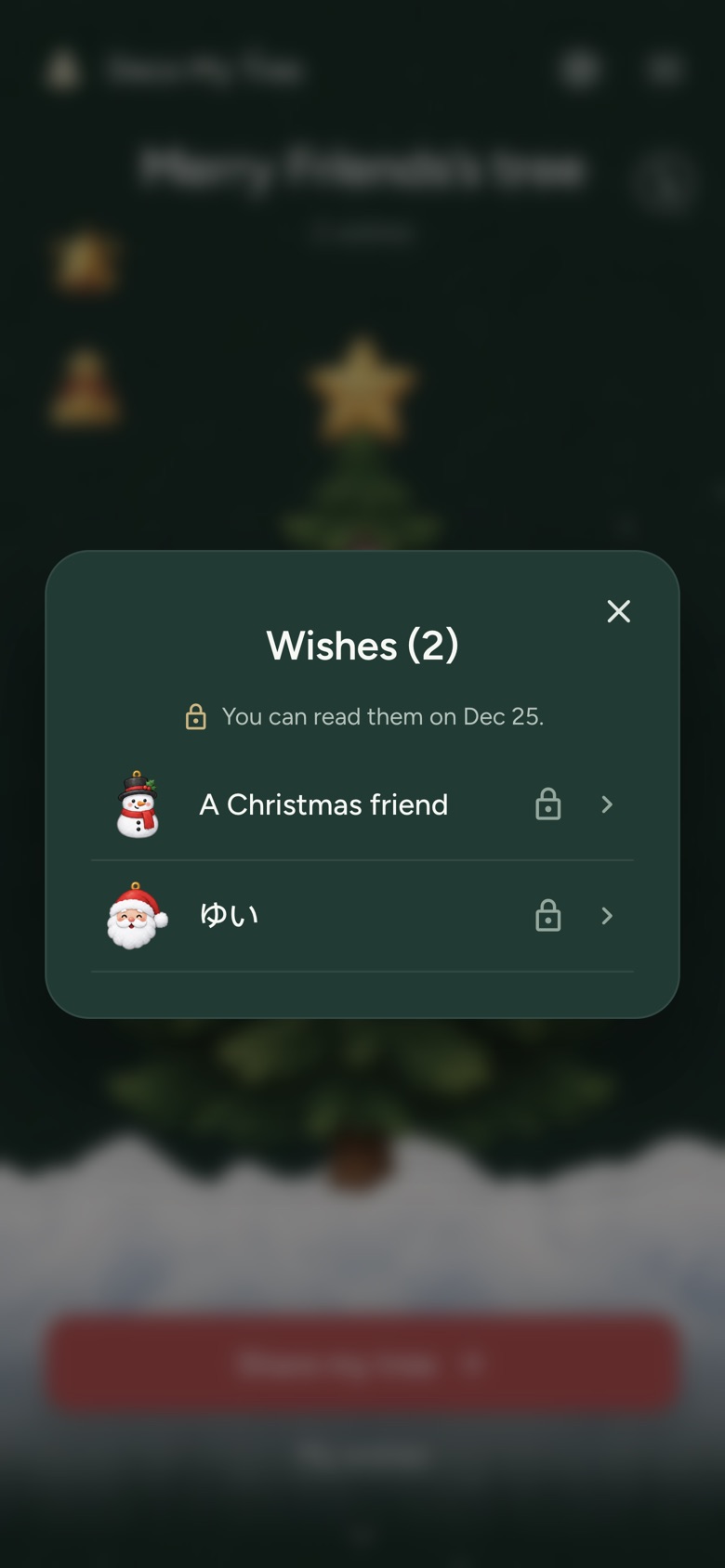
So if you delete and resend before the 25th, the owner never reads the version with the mistake. The list does show the sender's name and ornament, though, so the owner may already have seen that something arrived from you.
You can still delete a wish after December 25, but the owner may have read it by then. If a line is bothering you, fix it early.
How a tree owner deletes a wish
If there is an ornament on your tree you want gone, or a friend asked you to remove one:
- Sign in and open your own tree.
- Tap the ornament.
- Tap the trash can icon in the top-left corner (Delete wish).
- Check it is the right one and tap Delete wish.
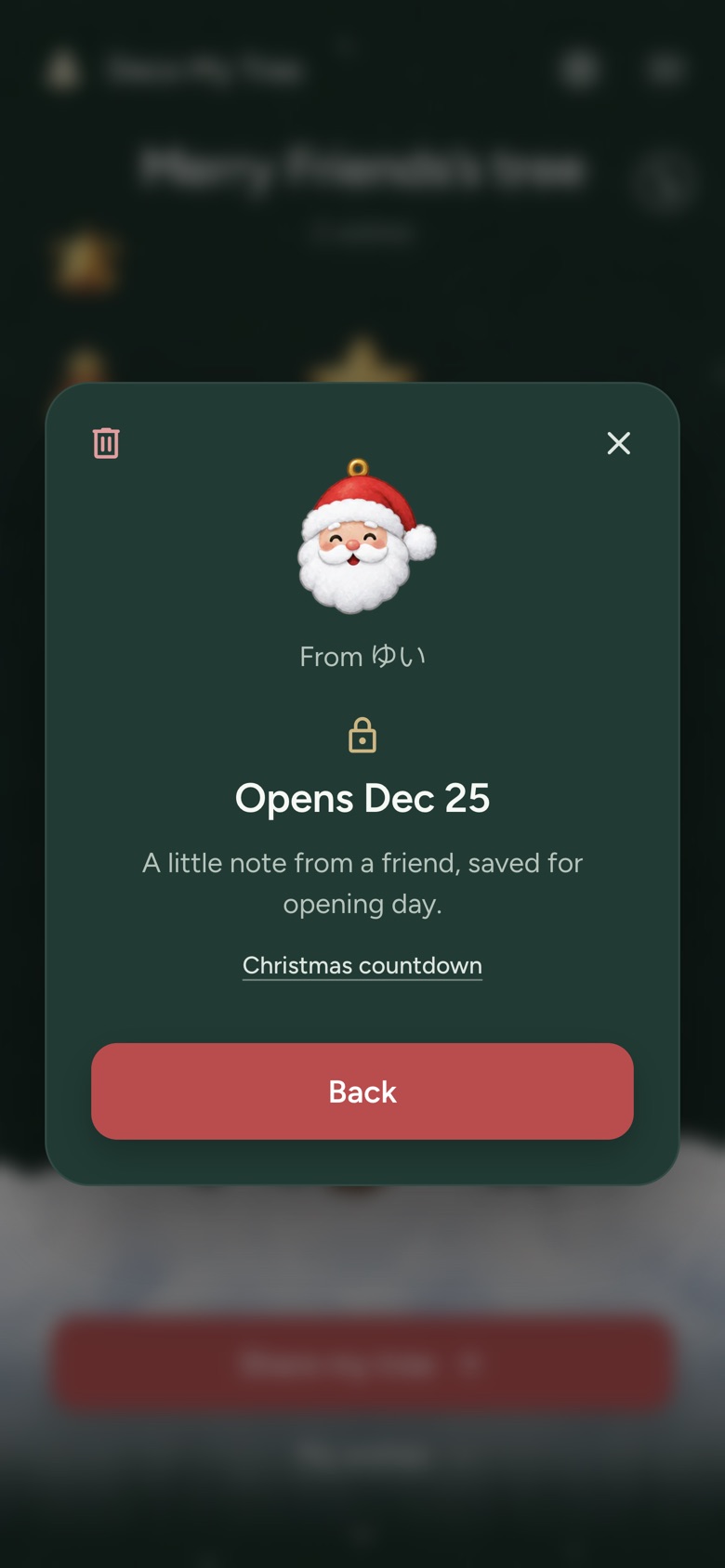
Before the 25th the wish is still locked, so you delete it without reading it. Double-check the name and ornament when a friend asks you to remove theirs. Only that wish is removed; your tree and the other wishes stay.
FAQ
Can I edit just the text of my wish?
No. Delete it, then tap Leave a wish and send it again.
Will the owner know I deleted it?
Before December 25 they cannot read the content. They may have noticed your name and ornament on the tree before you deleted it.
I made it public by mistake. Do I need to delete it?
No. Open your wish and tap Make private. It goes back to being readable only by you and the tree owner. You can switch between public and private any time.
I forgot to hide my name. Can I hide it afterwards?
The reliable way is to delete the wish and resend it with the option to hide your name ticked. Public and private is the setting you can switch later.
Does deleting remove my voice message too?
Yes. The text, the ornament and the voice message are removed together.
What about a wish with a paid ornament?
Deleting the wish removes that ornament too. If you only need to change who can read it, use Make public / Make private instead of deleting. For payment questions, use the Contact link at the bottom of the site.
The delete button does not appear.
You are probably signed in with a different account, or you sent the wish as a guest. Remember whether you used LINE, Google or your phone number, and sign in the same way.
How long can I resend?
Wishes can be added until January 1, 2027, but an owner can close their tree to new wishes earlier in settings. If sending fails, see what to do when a friend cannot send a wish.
If the owner deletes my wish, what happens?
The ornament disappears from their tree. You can send a new one with Leave a wish.
Summary: fix it before the 25th
- Wrong words → sign in with the same account, delete, resend
- Wrong privacy → Make public / Make private, no resend
- Sent as a guest → ask the tree owner to delete it
- Before December 25 → the mistake is never read
No tree of your own yet? Make a tree for free. Check how many days are left until opening day on the Christmas countdown, or give your profile picture a festive touch with the Santa hat photo tool. New to the app? Start with how to use Deco My Tree.